Fill repetitive forms faster
Save frequently used information and fill matching form fields without typing the same details again and again.
Chrome extension
FillKeep
Custom Form Autofill
Stop typing the same information again and again. Save your information once, teach FillKeep custom fields when needed, and fill repetitive web forms in one click.
FillKeep is a form filler Chrome extension designed for repetitive forms. It can recognize common fields automatically and lets you teach custom fields that normal browser autofill may not recognize.
Built for repetitive web forms and workflows.
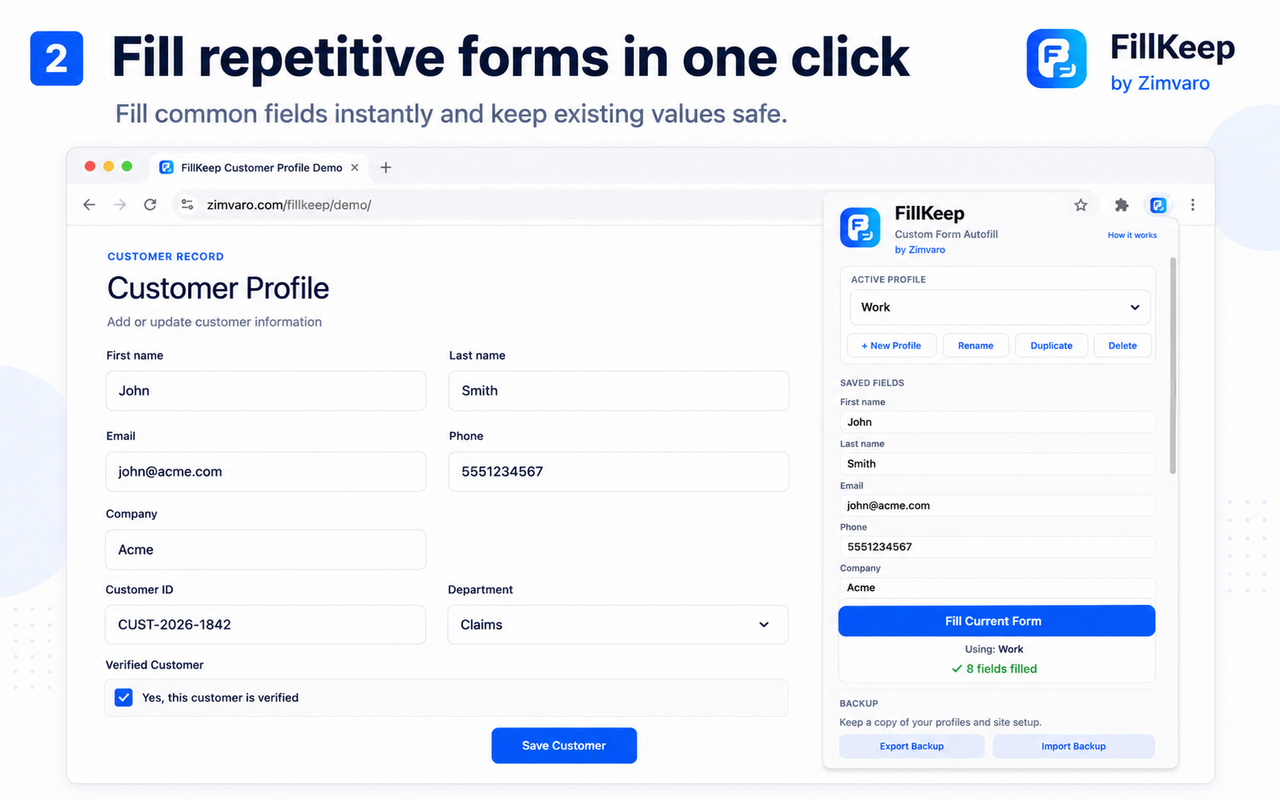
Save frequently used information and fill matching form fields without typing the same details again and again.
If FillKeep doesn't recognize a field automatically, teach it once for that profile and site.
Keep separate profiles for Work, Personal, clients, or other recurring workflows.
Your profiles and learned fields stay in your Chrome browser profile on your device in the current version of FillKeep.
1
Store frequently used details and Custom Information.
2
Common fields can be recognized automatically. For custom or unrecognized fields, teach FillKeep what saved value belongs there.
3
Use your active profile to fill empty matching fields in one click.
Chrome's built-in autofill is useful for common personal information. FillKeep is designed for repetitive workflows where you also need custom information such as customer IDs, department names, account references, or other recurring values.
FillKeep supports common form controls including text fields, email, phone, textarea, dropdowns, checkboxes, and radio buttons.
FillKeep is designed to avoid passwords, payment-card fields, one-time codes and other clearly identified sensitive fields.
Coming soon
The extension is not publicly available on the Chrome Web Store yet.